
1 in 3 US adults cook around dietary restrictions.
If that's your kitchen, this is your planner.
The weeknight, finally figured out.
Keep the meals you already trust in one place, plan your week in about five minutes, and walk out of the store with everything you need — grouped by aisle and split across every store you shop. No surprise ingredients, no second-guessing. Just your food, made easy.
Your recipes, your ingredients, your stores — we just handle the planning.



It's 5:45, everyone's hungry, and "what's for dinner?" is suddenly a hard question.
You're standing at the open fridge — ingredients, but no plan. And when food has to work a certain way for your family, grabbing "whatever's easy" isn't really an option. So you stand there and do the math, tired, every single night.
Here's the thing: it was never a cooking problem. You already have a handful of meals you love and trust. The only missing piece is a simple system that gets one of them on the table tonight — without the daily scramble.
"Most of us know exactly what we like to cook. We just need a little help staying organized enough to actually do it."
You've probably tried the rest. Here's why they never quite fit.
The subscription boxes
The endless 10,000-recipe feeds
Your recipes. Your ingredients. Your stores.
We tell you exactly where each thing goes — so the trip takes minutes, not the afternoon.
Your week's plan becomes one list, grouped by aisle and split across every store your ingredients actually come from.
Name your stores once
The regular grocery, the warehouse club, the specialty market that carries your safe brands. Two stores or five — your call.
Aisles route themselves
Each aisle gets a default store — bulk meat to the warehouse, safe baking to the specialty shop — and any single item can be reassigned in one tap.
Shop one store at a time
Filter the list to a single store and you'll see only what that store carries, grouped by aisle. One focused trip, then on to the next — nothing forgotten at checkout.
Staples stay home
The safe pantry items you stock deep are skipped automatically — with a one-tap "buy this week" when you run low.
How it works
See it in action →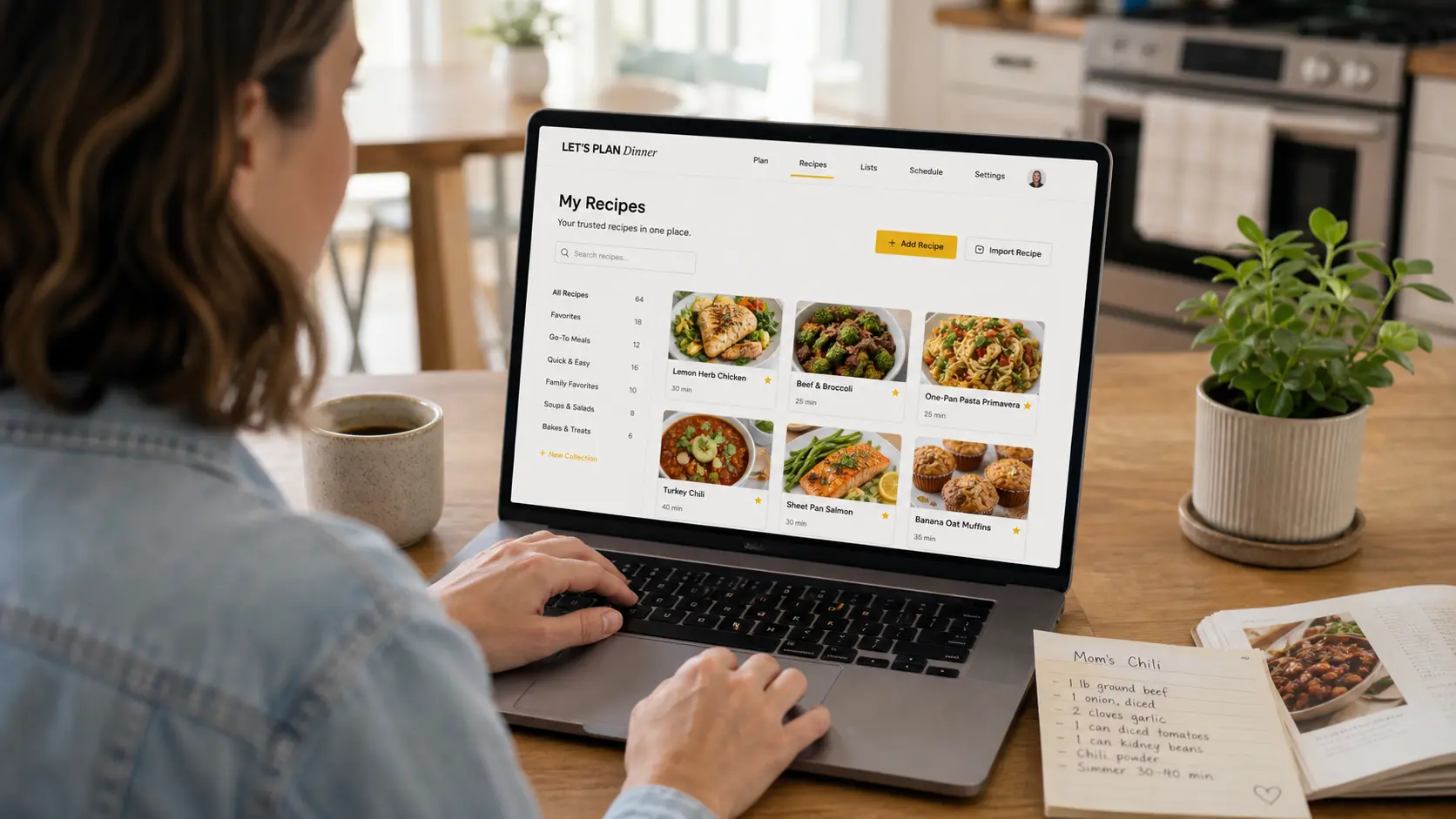
Build your trusted library
Paste a recipe, drop in a URL, type it once, or build it in a few taps with the Quick Recipe wizard. Your recipes — the ones you can make with your eyes closed — become the heart of the whole thing. Mix-and-match sides included.

Plan the week in minutes
Tap dinners into Monday through Sunday. Repeat last week in one tap, mark nights as leftovers or eating out, and let the rotation nudge resurface favorites you haven't cooked in weeks.

Shop every store, one list
Your list builds itself — grouped by aisle, quantities combined, pantry staples subtracted, and split across the stores that actually carry your ingredients: the regular run, the warehouse trip, the specialty shop with the safe brands. Shop Mode checks items off with a thumb and keeps working even when the signal drops.
Four tabs that quietly save your time and money
See the features →It all starts with the weekly Plan. From there, the Pantry, Shopping, and Stores tabs are the quiet workhorses — each one removes a specific way weeknight cooking leaks money or steals minutes.
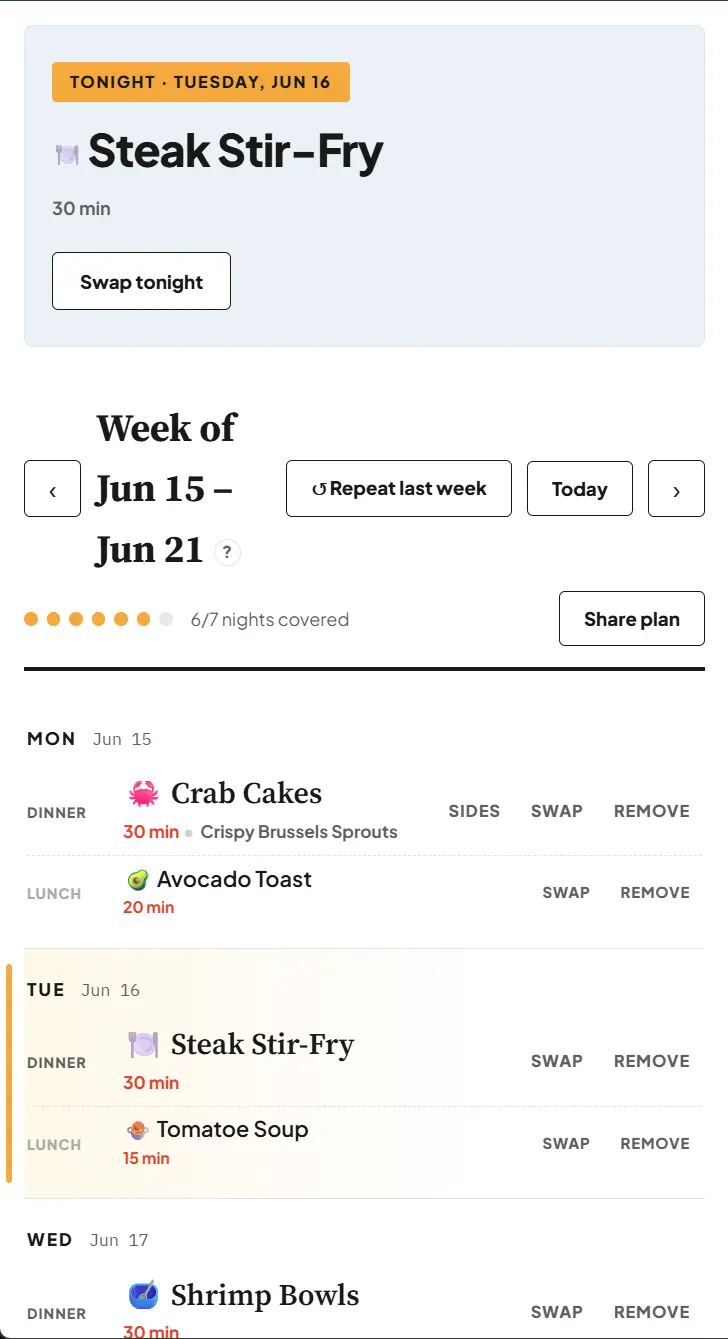
Plan — your whole week in about five minutes
Tap a trusted meal onto any night — dinner, with a lunch right under it. A Tonight card always shows what's next, Repeat last week rebuilds a good week in one tap, and a quiet progress bar tracks how many nights are covered. Mark a night leftovers or eating out, swap or remove anything, then share the whole plan with your household as plain text.
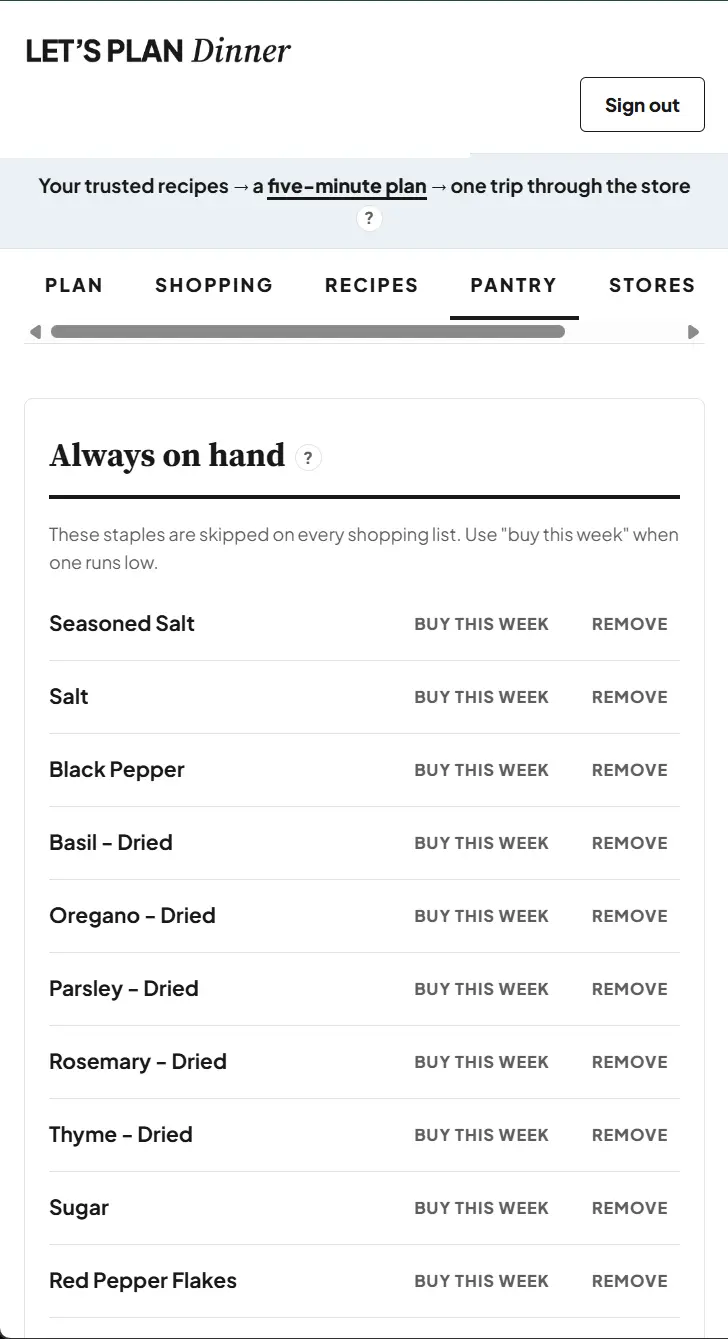
Pantry — set your staples once, stop buying duplicates
The Pantry is where you flag the ingredients that show up across lots of recipes and the ones you already keep on hand — flour, olive oil, salt, soy sauce. Once an item lives here, it's automatically left off every shopping list, so you stop buying the same things over and over and ending up with a third bottle of oil or two half-used bags of flour. The week you actually run low, one tap adds it back to that week's list only.
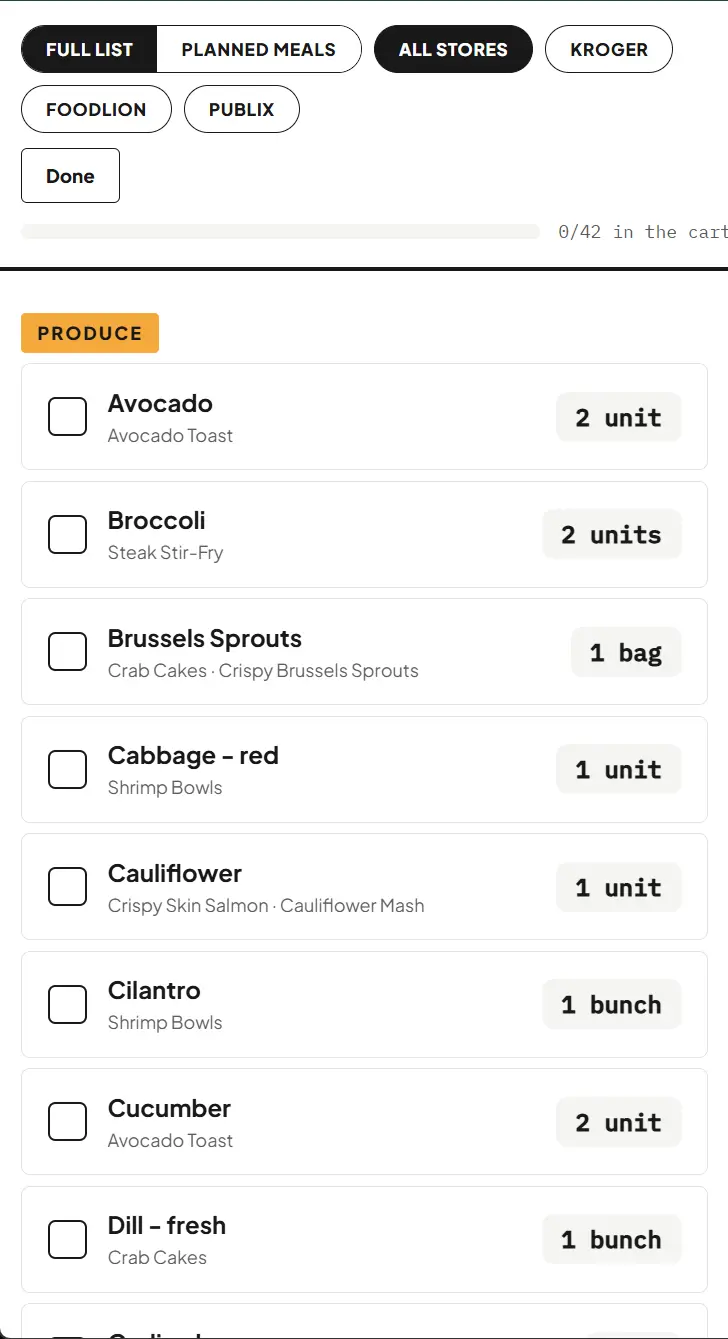
Shopping — a list that builds itself
Duplicate quantities combined, pantry items removed, and grouped by aisle so everything of a kind is together. One clean list instead of a scribbled one — and Shop Mode keeps working offline, even in the back of the store.
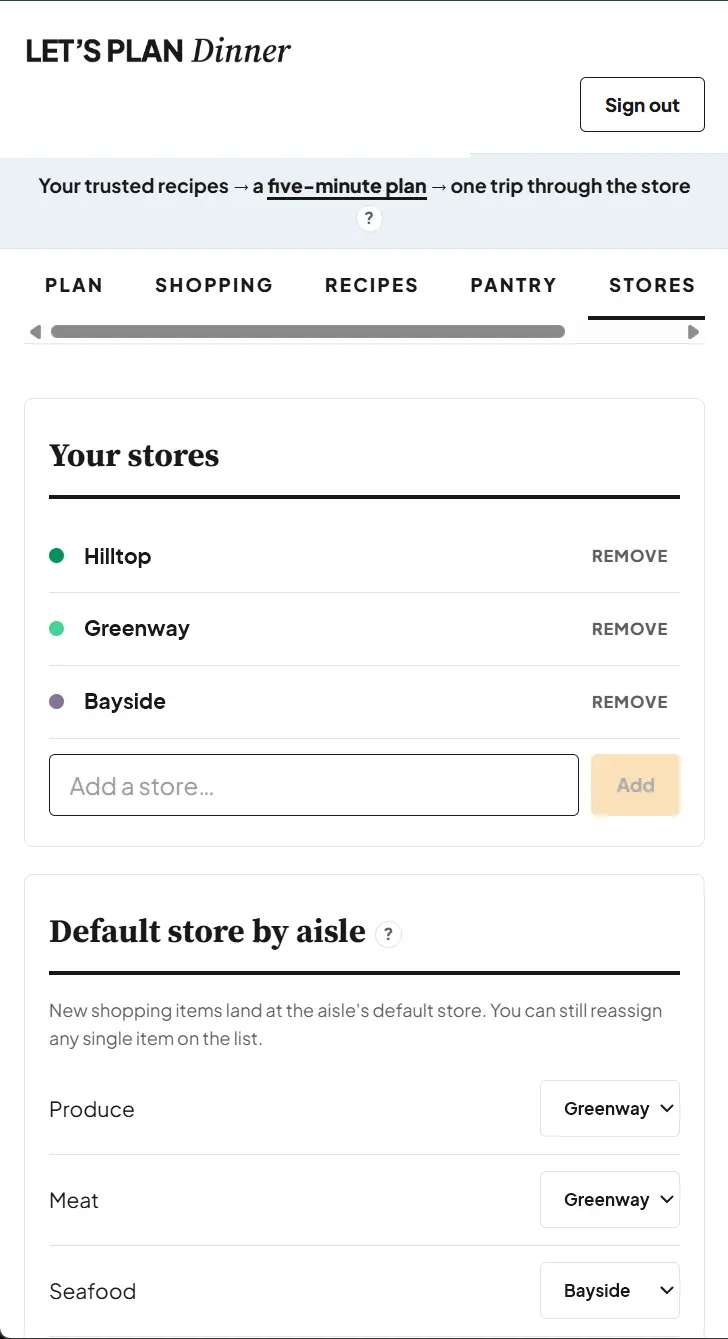
Stores — buy each thing where it's right
Some things you buy somewhere specific — the seafood that's fresher at the market across town, the bulk proteins at the warehouse, the safe brands only the specialty shop carries. Assign each aisle to the store you trust for it, and your list splits into a clean trip per store — so everything comes from where you actually want it.
The little things that make it stick
The four tabs above do the heavy lifting. These are the smaller touches that make it feel built for you.
Nothing you didn't choose
No feed pushing recipes at you, no surprise swaps. Every meal and every ingredient came from you — added once, yours for good.
Fill your library fast
Paste a link, type it once, or tap through the Quick Recipe builder with sensible amounts already filled in. Setup is the easy part.
Not just dinner
Plan lunches right alongside dinners — because dietary needs don't take the afternoon off.
More than dinner
Need something that isn't part of a meal? Add it to the list and it tucks into the right aisle — one organized trip, no second list to lose.
Built for the actual store
Big, one-handed checkoff and a progress bar — and it keeps working even where the signal drops.
Send it to whoever's cooking
Text the whole week or the shopping list in one tap. The plan stops living in just one person's head.
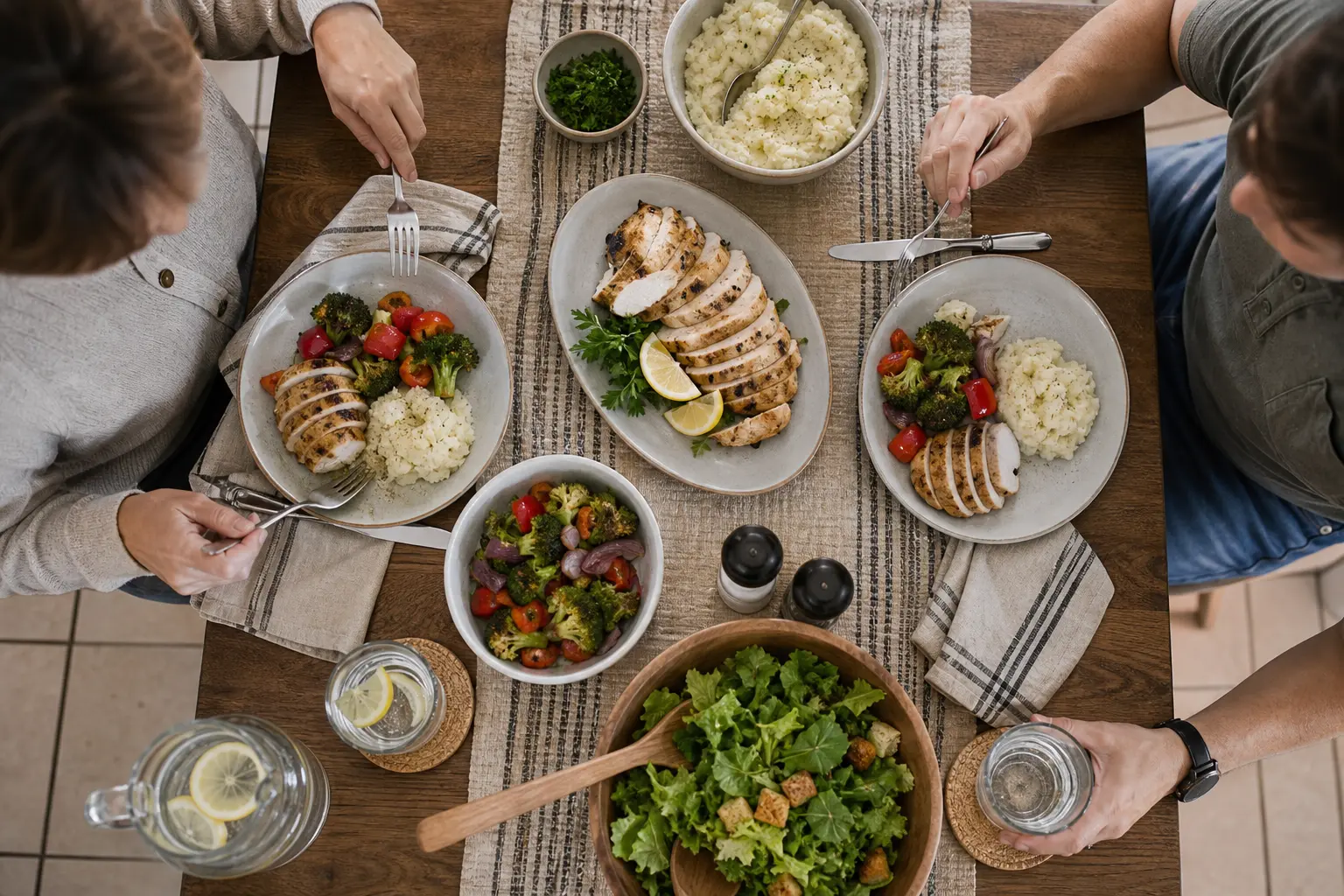
Cook the food you already trust.
Not a stranger's recipe. Not a kit's compromise. Your meals, your ingredients, on the table — without the mental load.
Whatever you're cooking around, you'll feel right at home.
When she plans her week, the days go smoothly; when she doesn't, she feels the difference. She doesn't need an app to pick her food — she's got that part down. She just needs the five-minute plan to be so easy that even her busiest week can't knock it over.
His hardest choices come at 6 p.m., when he's wiped out and the fridge is empty. With a few dinners he trusts already on the calendar — and a list that simply skips the junk — the easy choice and the good choice finally line up.
The app quietly keeps her on track. She can see just her own meals when she wants, and still pick up the family's snacks without them ever tempting her.
Why people stick with it
One plan. Everything included.
Simple, honest pricing — one plan, no tiers, no add-ons. Here's what we're planning at launch.
We're in beta now — public sign-ups open soon. Want early access?
Planned annual option: $80/year — two months free.
Questions, answered
Do I have to type in all my recipes?
Will it work on my phone in the store?
My safe ingredients come from three different stores. Can it handle that?
I cook around allergies, a health condition, or a goal — will this work for me?
Can my partner see what's for dinner?
What happens to my recipes if I cancel?
Give your weeknights a plan you can trust.
Five minutes of planning. One organized trip across all your stores. Only the food you actually want to eat. The hard part was never the cooking — it's staying organized enough to get a meal you love to the table, week after week. That's the part we handle, so you can get back to your life.
Public launch coming soon · already a member? Log in above.